


Published:
·
updated
20
Most interior design templates hand you a pretty dashboard and no architecture. This is the opposite: the seven databases behind a full-service studio, built and cleaned up step by step.
Search for a Notion setup for an interior design agency and all you get is pre-built Notion templates. A lot of them actually. The thing you’ll almost never get is the architecture behind them, and the “why” behind every decision made by the creator. This is the part that decides whether the system is adopted by your team or abandoned after two weeks.
So this article is about a build sequence, and in this phase 1 we will cover the seven databases behind a full-service residential design agency. We will describe every property worth adding, and perform a cleanup that turns a pile of tables into something an interior design studio actually wants to use, on daily basis.
Phase 2 will cover the dashboard and design, it’s our next step. Now let’s focus on the initial build.
Why a design agency needs a Notion system
A full-service residential studio does four jobs at once. Design the space, source the products and items, procure & purchase them, install them. Most project management tools handle the first job and ignore the other three.
A mid-size residential interior design project carries 200 to 600 individual items. Every one of them has its own price tag, its own lead time, its own vendor, and its own status. A sofa can be approved, ordered, acknowledged, shipped, delivered damaged, and reordered, while the project is still at the same phase.
That is exactly why the item / product, not the project, is the real unit of work in this Notion system. Get that basis wrong and every roll-up above it becomes a problem nobody has the time to fix.
How Notion databases connect for interior design project management
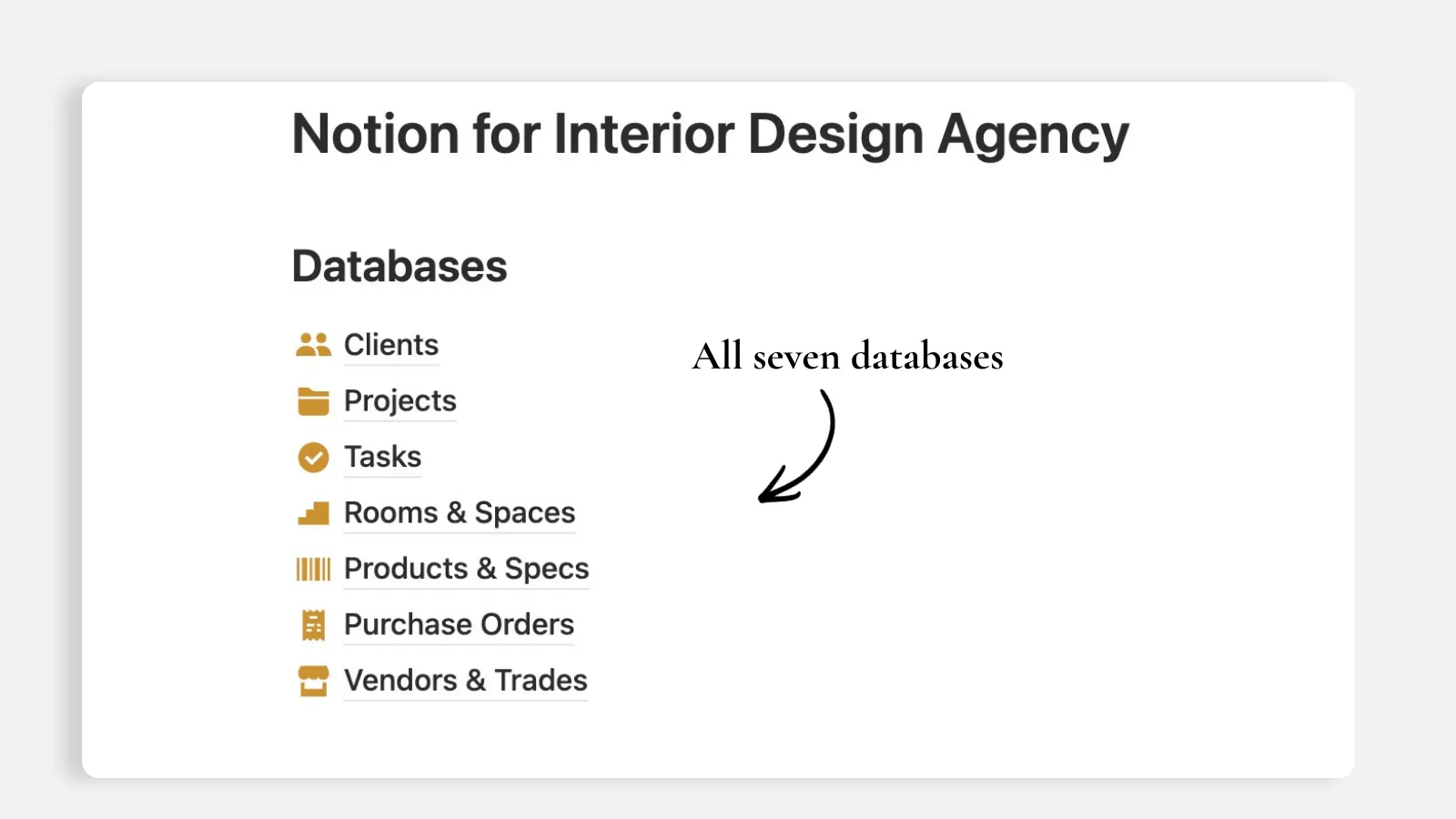
I recommend here seven databases, connected with one bridge:
Clients → Projects → Rooms & Spaces → Products & Specs → Purchase Orders → Vendors & Trades
With Projects → Tasks put on the side.
These are the only two architectural rules that hold the whole system together:
One database row equals one thing. Every database holds exactly one entity type. Nothing should be mixed or tracked where it doesn’t belong. If two databases would share a property (field), link them with a Relation instead of copying the value into both.
Relations over duplication. Nothing in this Notion system should be typed or copy pasted twice. A vendor's lead time lives on the vendor database, and every item can roll up this value and surface it the way you want.
The seven Notion databases for a design studio
1. Clients
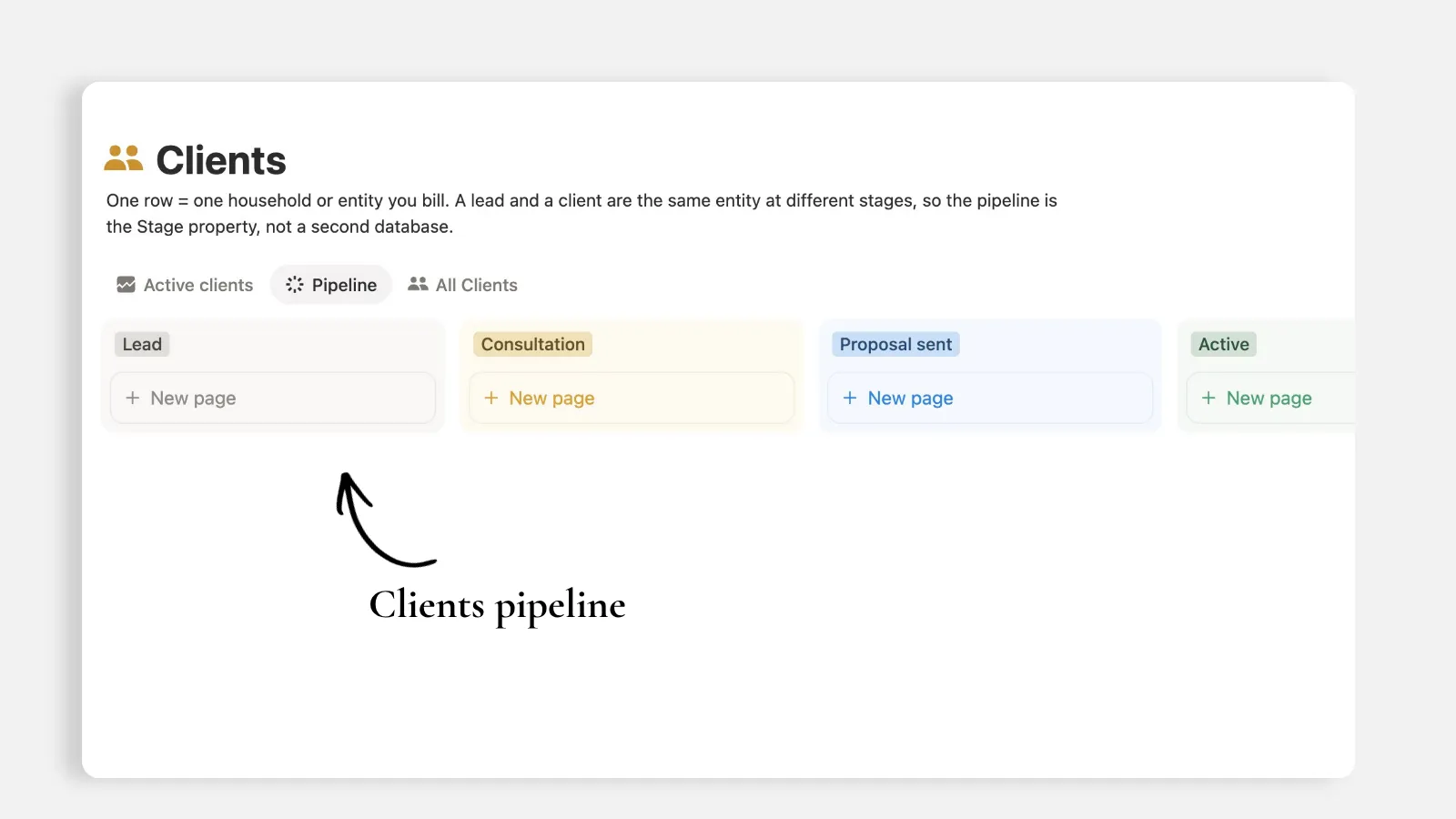
One row equals one household or entity you bill.
Repeat work is frequent in interior design residential projects. The main residence, then the mountain house, then a refresh three years later. Keeping the clients tracker separate from the projects tracker is what lets you see lifetime value and where referrals actually come. It’s also the number one database any agency needs, otherwise you’ll have to find yourself another CRM tool and pay 2 subscriptions if not more, for something Notion can easily do.
Properties to build:
Client
titleStage
select: Lead, Consultation, Proposal sent, Active, On hold, Complete, PastProperty address
place(not text, see the cleanup section)Furnishings budget range
select: banded, not exactReferral source
select: Referral, Instagram, Website, Houzz, Repeat client, Trade partnerPrimary contact
text, Emailemail, PhonephoneProjects
relationto ProjectsNumber of engagements
rollup: count of ProjectsLifetime value
rollup: sum of project value across every engagementClient ID
unique ID
Do not build a separate Leads database. A lead and a client are the same entity at different pipeline stages. A status property is enough to track them, no need for a second database.
2. Projects
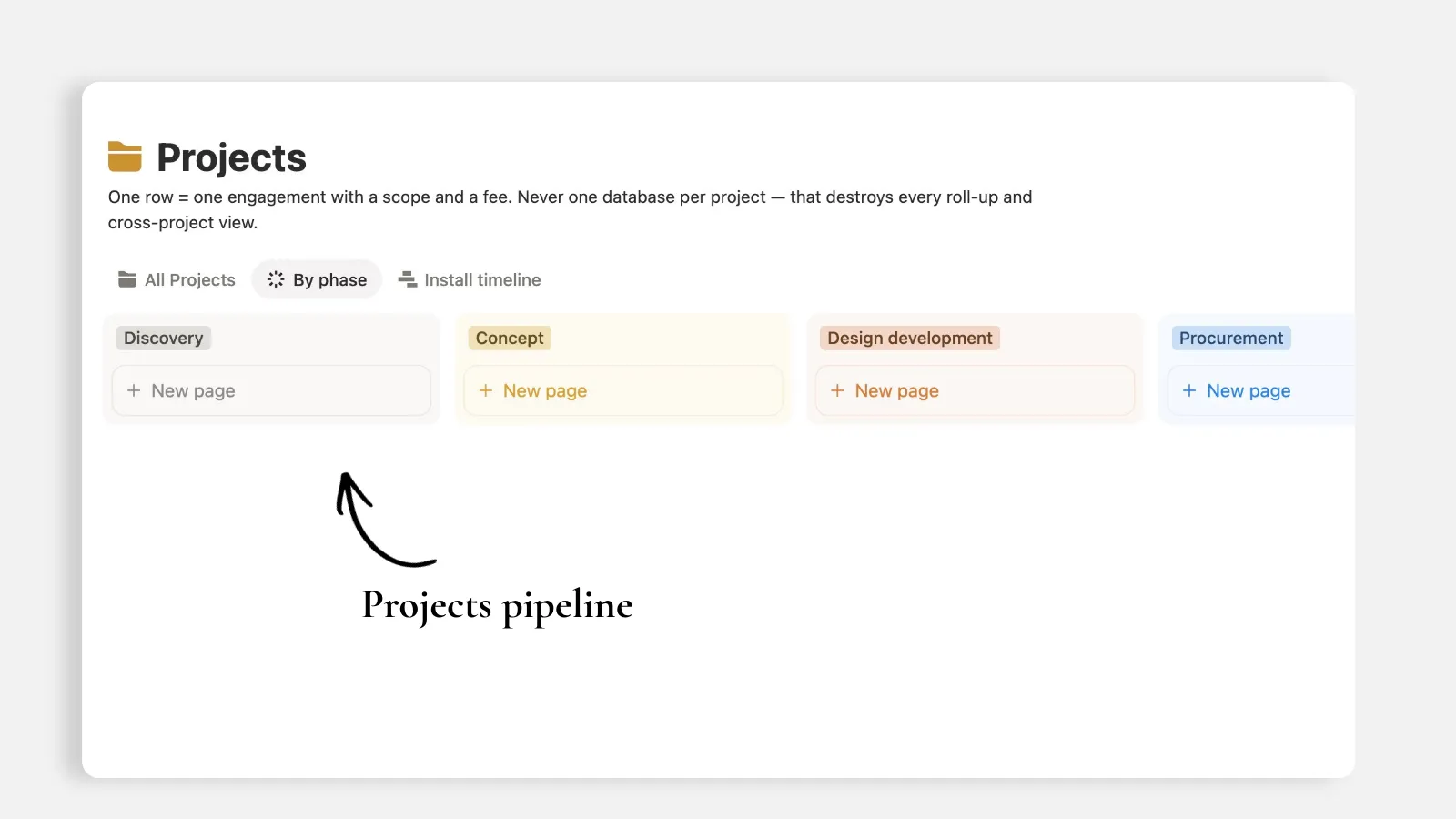
One row equals one engagement or project with a scope, a fee and start - end date.
Project
titleClient
relationPhase
select: Discovery, Concept, Design development, Procurement, Installation, Punch list, ClosedFee model
select: Flat, Hourly, Cost-plusDesign fee
numberformatted as currencyFurnishings budget
numberformatted as currencyStart date and Target install date
dateLead designer
personRooms, Items, Purchase Orders, Tasks
relationItem spend
rollup: sum of extended client price across every itemBudget variance
formula: furnishings budget minus item spendProject value
formula: design fee plus item spend
Never build one database per project. I saw many agencies facing the consequences of this mistake. It literally destroys every cross-project view the moment you have more than 3-4 clients.
3. Rooms & Spaces
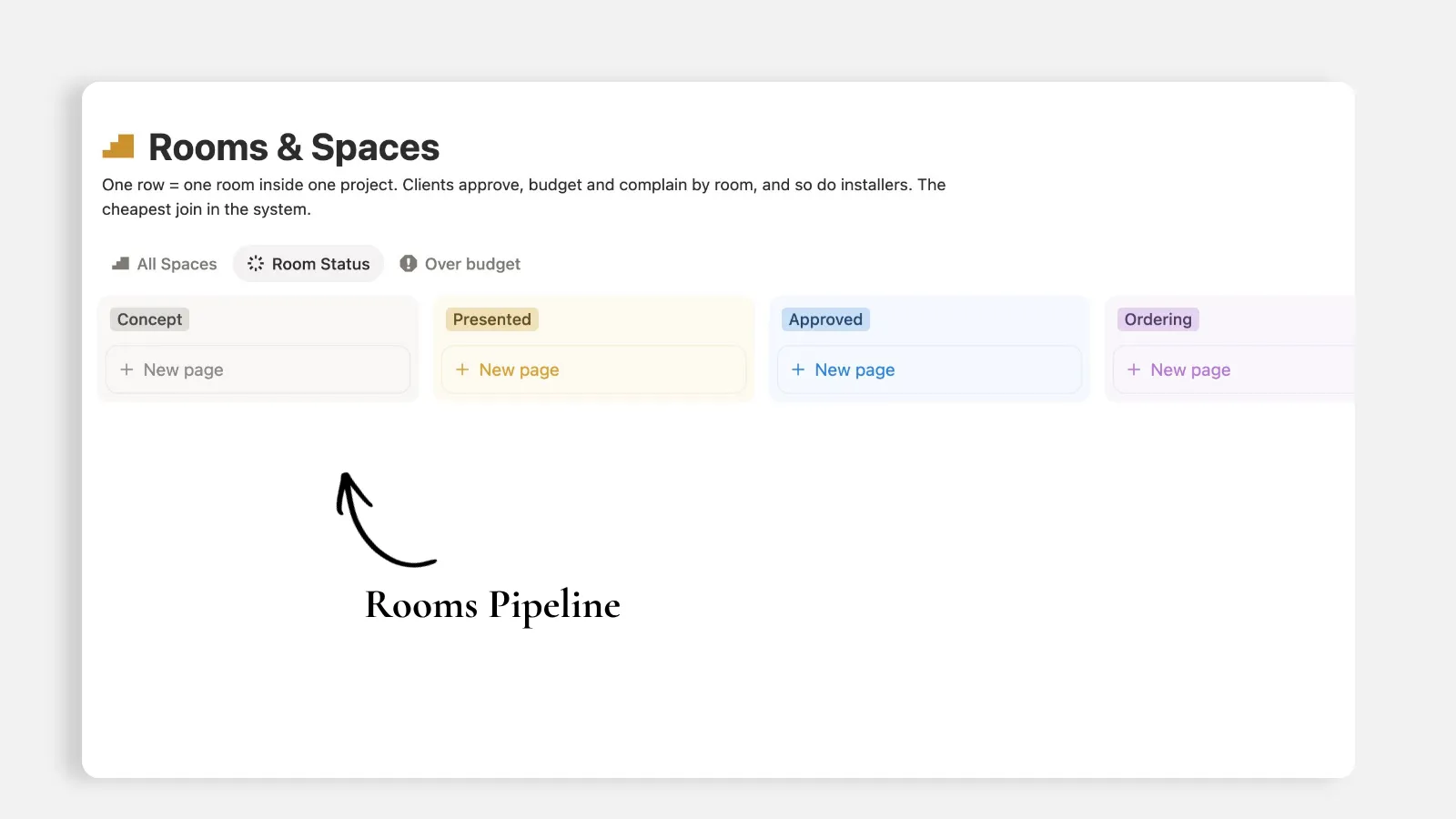
One row - page equals one room inside one project.
This is the database interior design agencies skip and then rebuild a few months later. Clients approve by room or space, budgets are allocated by room and installers deliver by room. Without a Rooms or Spaces tracker, every client question turns into a manual filter across five hundred item entries and pages.
Room
titleProject
relationRoom type
selectStatus
select: Concept, Presented, Approved, Ordering, InstalledBudget allocated
numberSpend to date
rollup: sum of item client pricesVariance
formula: allocation minus actual spendBudget flag
formula: returns Over budget, Within budget, or No budget setItems
rollup: count of productsMoodboard link
urlSquare footage
number
Budget also belongs here, not only at the project level. A project on budget with one room still 40% completed is a conversation you want before installation, not during. This is the level of detail you need while tracking budgets per project. Mix up everything and it becomes super hard to detect risks before they impact your full budget and agreement.
4. Products & Specs: your interior design procurement tracker
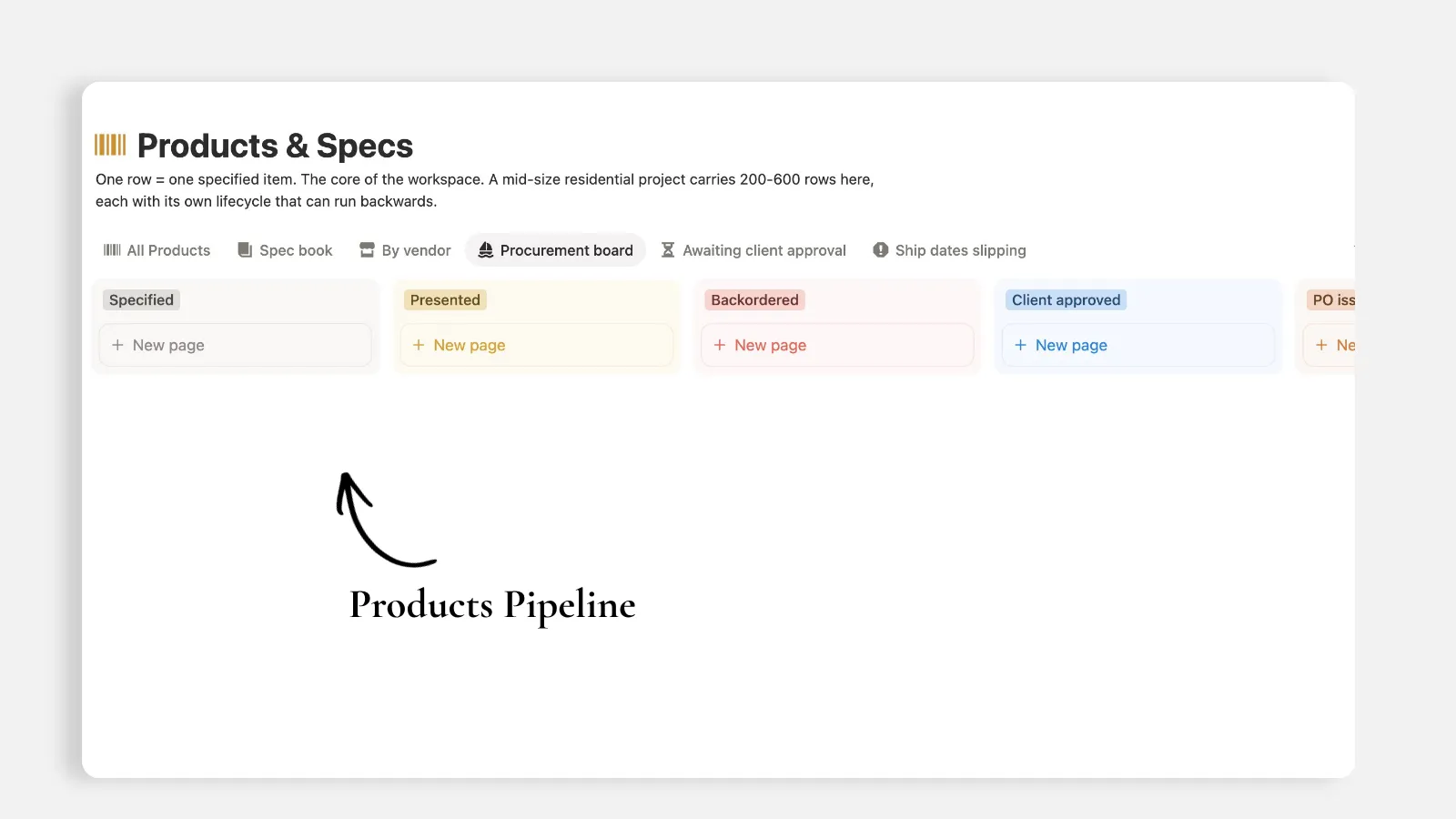
One database entry (row) equals one specific item or product. This is the heart of the entire workspace and the only database that earns more than 4 database views. Even the properties show multiple relations with other databases, this is because everything goes back to items.
Item
titleRoom
relation, Projectrelation, Vendorrelation, POrelationStatus
select: Specified, Presented, Client approved, PO issued, Acknowledged, Backordered, In transit, Received and inspected, Damaged or short-shipped, InstalledCategory
select: Furniture, Lighting, Textile, Rug, Art, Plumbing, Hardware, Appliance, CustomQty
number, Dimensionstext, Finish / fabric / COMtextTrade price and Client price
numberExtended trade cost
formula: trade price times quantityExtended client price
formula: client price times quantityMarkup %
formulaLead time (weeks)
number, Est. ship datedateDays late
formula: days between today and the estimated ship dateShip flag
formula: returns Late, On track, or No ETAClient approved on
datePunch reason
select: Damaged, Short-shipped, Wrong item, Backordered, Finish defect, Site actionSKU
text, Product linkurl, Imagefiles
Trade price and client price both are stored here, which means you can’t share this database with the client. If you think you want the client to have full visibility on this database, you’ll need to remove the actual prices and margins from here - and store them in a private finance database.
Note: As of August 25th, 2026, Notion still does not have a feature that allows hiding properties from others when the database is shared with them - but this may change in the near future, and I’ll update this article accordingly.
5. Purchase Orders
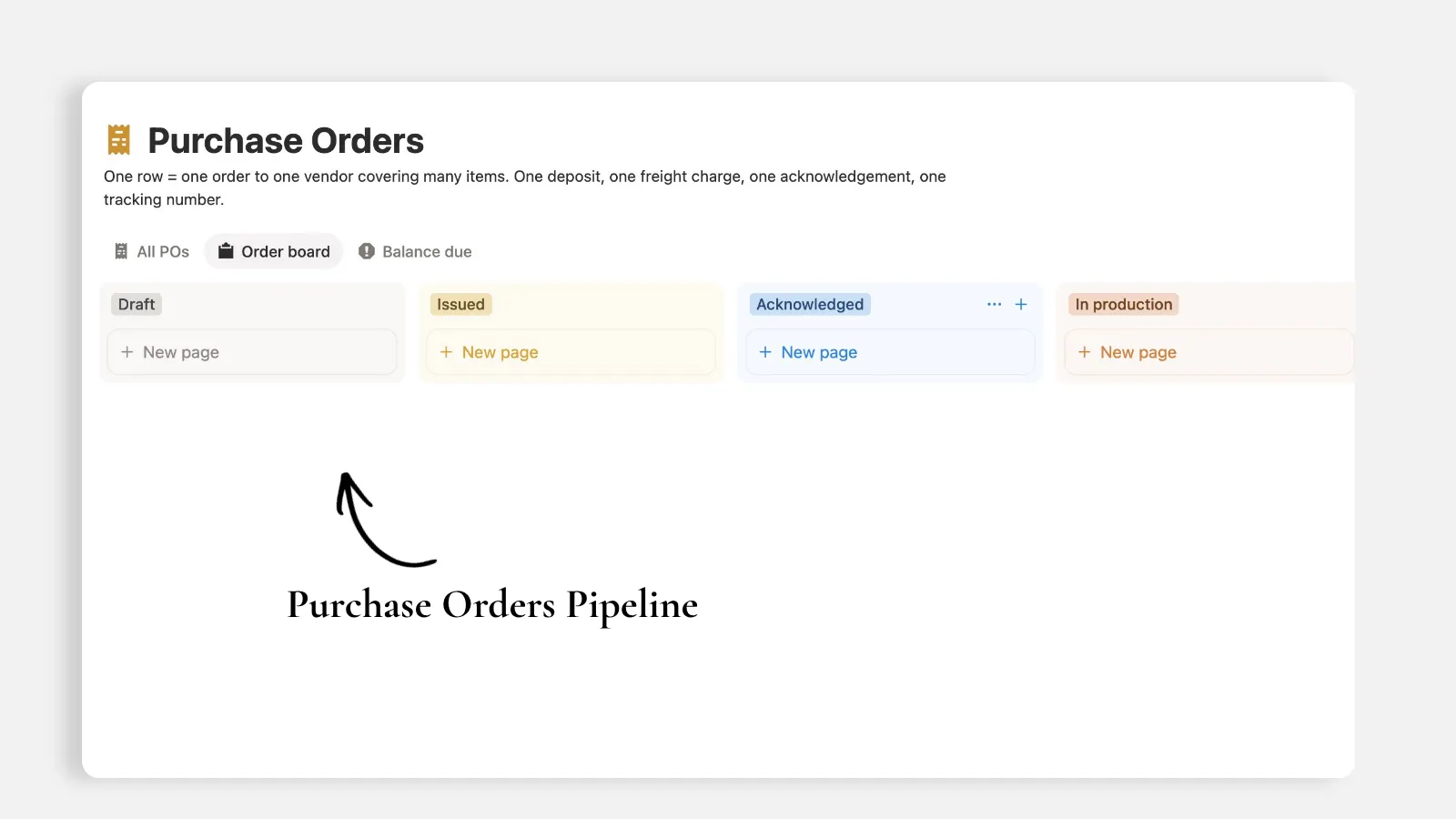
One row equals one purchase order to one vendor, and it can cover multiple items / products.
This is to track one deposit, one freight fee, one confirmation, and one tracking number. If you try to keep the PO as a text field on the item or products database, you will never be able to answer the two questions that matter most: did we pay this? and did the truck arrive?
PO
title, PO numberunique IDVendor
relation, Projectrelation, ItemsrelationStatus
select: Draft, Issued, Acknowledged, In production, Shipped, Received, ClosedOrder date, Expected delivery
dateOrder total
rollup: sum of extended trade costDeposit paid, Freight
numberBalance due
formula: order total plus freight minus depositPayment state
formula: returns Balance due or SettledReceiver
select: Direct to site, Third-party receiver, StudioTracking
text or link, Acknowledgementfiles
6. Vendors & Trades
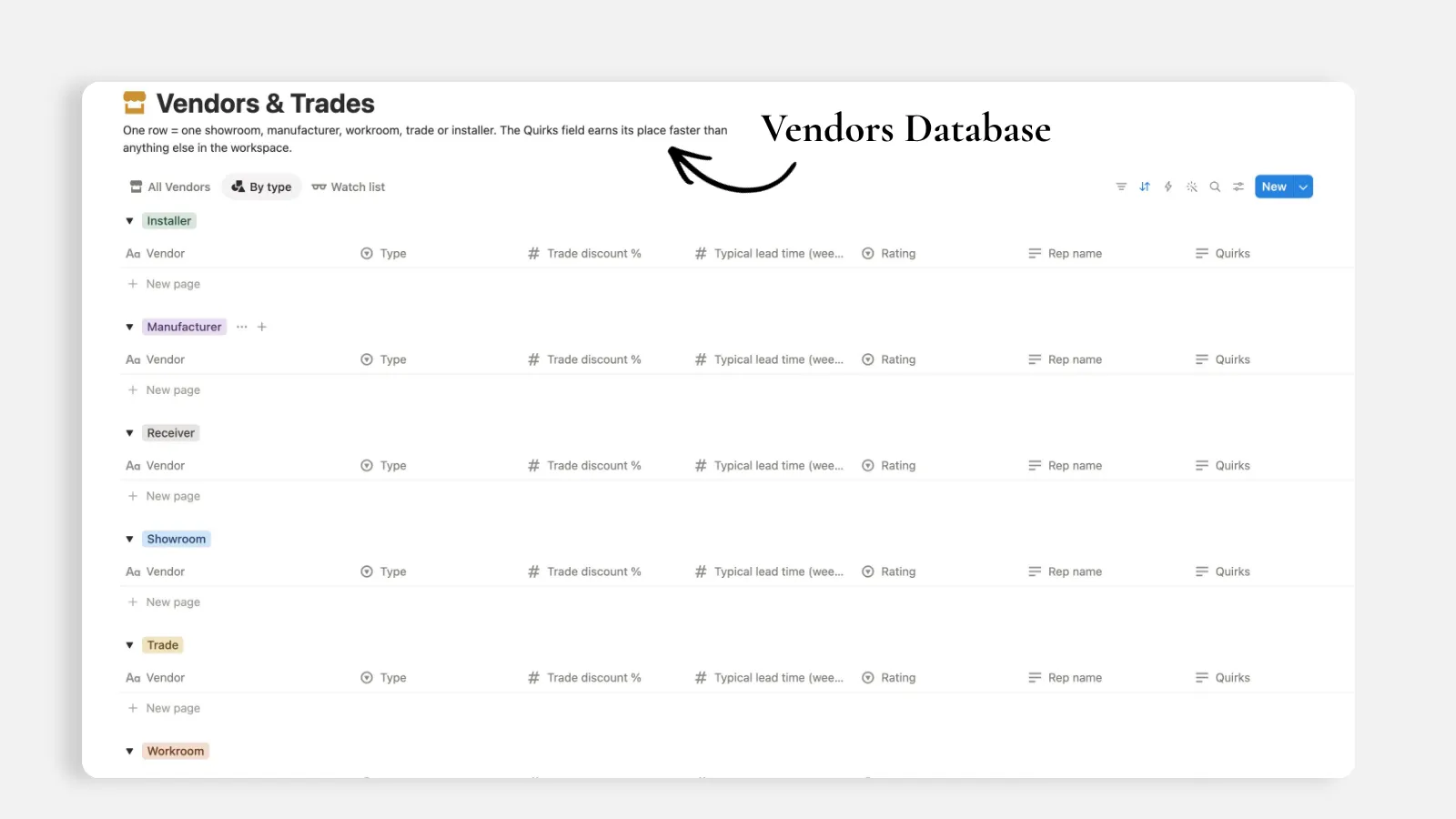
One database entry (row) here equals one showroom, manufacturer, workroom, trade, installer, or receiver. It allows you to track your vendors and suppliers in one place, and link them to their related purchase orders and products. This is a full product / market library fully designed to match your needs.
Vendor
titleType
selectTrade discount %
numberRep name, Rep email, Rep phone
Account number
textTypical lead time (weeks)
numberTerms
text: deposit, returns, freightRating
select: Preferred, Solid, Use with care, AvoidQuirks
textProducts, Purchase Orders
relation
The Quirks property is very critical here. Things like "Will not confirm fabric yardage until the deposit clears" is exactly the kind of information intelligence that currently lives in one person's head. We want to get all that stored in this Notion system for interior design agencies.
7. Tasks
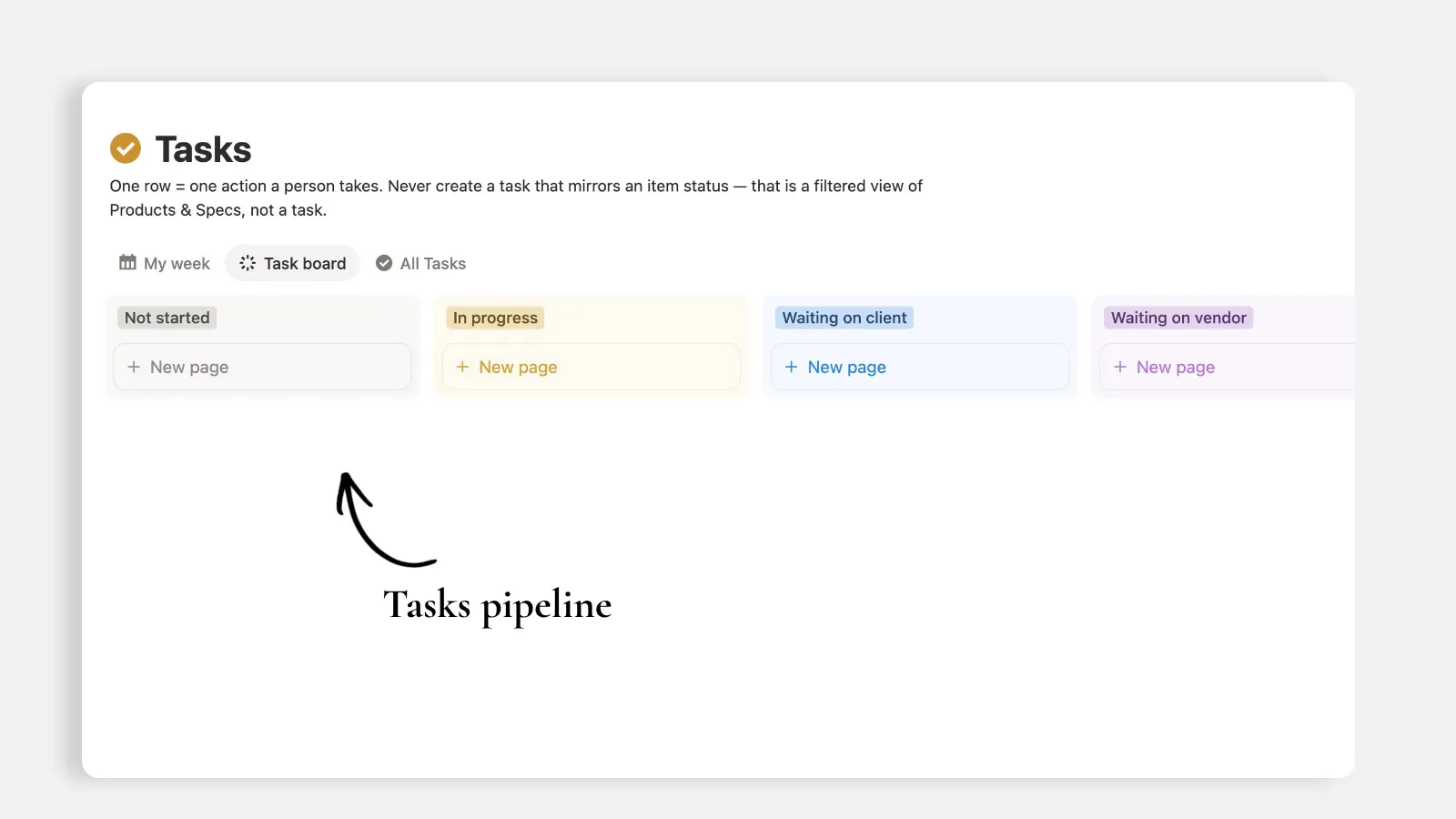
One database entry equals one action a person takes, it is the last thing to build here.
Task
titleProject, Room
relationOwner
personDue date
dateStatus
select: Not started, In progress, Waiting on client, Waiting on vendor, Blocked, DoneType
select: Design, Client, Procurement, Site, Admin, PunchPriority
select
Never create a task that displays an item or product status. For instance: "Follow up on the sofa order" is not a task, it is a filtered view of items and products whose ship date has passed. This is very important to notice because most interior design agencies are not using Notion filtered views as they should.
Two things Notion will not let you do
This is worth knowing before you start building this notion system for interior design agencies, because both cost a rebuild if you find out too late:
A roll-up cannot target another roll-up. Project spend cannot inherit through Rooms. So Products carries a direct relation to Projects alongside its relation to Rooms, and the project rolls up from items / products directly to avoid this limitation.
Use readable formula labels for operational views. A numeric formula like Variance can be filtered below zero in Notion, but a text formula is often easier for teams to scan and use in board or status-style views. That is why Budget flag, Payment state, and Ship flag exist. They turn raw calculations into labels you can understand immediately: Over budget, Within budget, Late, On track, or Balance due. “Over budget” is clearer than negative four thousand two hundred and eighty.
The polishing phase: Notion database setup that people actually use
Creating seven databases takes a few minutes, fully manual or AI-assisted. Making them usable is a another task, it’s the task that decides whether anyone will use the system beyond week 2.
Here is the check phase, database by database, and you can watch it in this video:
Put status where the eye lands. Notion drops new properties at the end. Status ends up buried on the far right, past nine properties nobody reads. Move it near the front, always, in every database. Same for the relation that gives the page its context.
Fix the property types. Property address is created as text. It should be a Place. That one change turns an address into something you can open in maps or even create a map view out of it.
Name your roll-ups. A roll-up labeled "engagements" tells nobody what it counts. Rename it "Number of engagements" and the column explains itself.
Order every select list to match reality. Notion stores options in the order they were created, which is usually random. Discovery, Concept, Design development, Procurement, Installation, Punch list, Closed. Reorder them once and every board view inherits the correct left-to-right pipeline.
Turn off hide empty groups. Board views hide empty stages by default. On a fresh build that means most of your pipeline is invisible, and a client looking at it thinks half the process is missing.
Rename the default view. "Default view" means nothing. Call it All clients, All projects, All products. Then decide the order of the tabs, because the first tab is what people open. Put the focused view first and the everything view last. My week comes before All tasks. That is preference of the agency, but pick one and hold it.
Give every database and every view an icon. Then pick one color and use it across the whole workspace or department. Yellow, blue, whatever fits the brand. Consistency is what makes a workspace look built rather than assembled.
Control what each view shows. This is the point of Notion views. You can always control what you want to see and what you do not. A gallery to be presented to clients does not need SKU, trade price, or lead time. Hide them.
Delete what duplicates something else. An auto-generated Item ID sitting next to a SKU is two identifiers doing one job. Drop one.
Question every view you did not design yourself. If you look at a view and cannot say in one sentence what job it does, it does not belong in the workspace yet.
Phase 2: Interior Design Agency Notion Dashboard
So far, what we did is very important, but let’s be honest, clean databases are not a system. What makes this a real interior design agency operating system is the one page the studio opens every morning.
Which raises the question phase 2 has to answer first, and it is a business question rather than a Notion one:
What does a design agency actually need to see the moment they open their workspace?
I’m sure the answer is: Not everything. Not a pile of linked databases. It’s the three or four things that cost money when nobody looks at them. Money committed to vendors with a truck already moving. Items presented to a client two weeks ago with no answer. Ship dates that quietly slipped last Tuesday. Or rooms that went over budget while everyone was looking at the project total.
Answer that question properly and the dashboard designs itself. Answer it very fast and you get a pretty page nobody opens twice.
That is phase 2 - see you soon.
All content in this article is grounded in real customer interactions and real projects we’ve worked on, the analysis, insights, and ideas are entirely my own. AI tools may have been used to help process raw data, or to reformulate and refine parts of the writing.
Related articles
Frequently asked questions
What databases does an interior design agency need in Notion?
A full-service interior design studio needs seven core databases: Clients, Projects, Rooms & Spaces, Products & Specs, Purchase Orders, Vendors & Trades, and Tasks. Connecting them with relations lets you track procurement, room budgets, and client approvals without duplicating data.
Why is the item or product the real unit of work in Notion?
A typical residential project carries 200 to 600 items, each with its own vendor, price, lead time, and status. Tracking at the item level rather than the project level allows you to monitor procurement, delays, damages, and room spend accurately.
How do you handle trade vs. client pricing in Notion?
Store Trade price and Client price in your master Products & Specs database for internal margin calculations. If you share views or portals with clients, maintain sensitive financial records in a private database.
Can you track interior design budgets by room in Notion?
Yes. Creating a dedicated Rooms & Spaces database linked to both Projects and Items allows you to allocate budgets per room, roll up item spend, and flag budget variances before an installation begins.
Should an interior design agency create a separate database for each project?
No. Creating a separate database per project fragments your data and breaks global views, cross-project reporting, and vendor tracking. Use one master database for each entity type and filter views by project or client.
Can a Notion roll-up pull from another roll-up for project spend?
No. A roll-up cannot target another roll-up, so project spend cannot inherit through Rooms. Give Products & Specs a direct relation to Projects alongside its relation to Rooms, and roll project spend up from the items directly. Finding this out late costs you a rebuild.
Do you need a Notion template to set up an interior design agency system?
No. Creating the seven databases takes a few minutes, manually or AI-assisted. The work that decides whether the system survives past week 2 is the polishing phase: moving Status to the front of each database, fixing property types, naming roll-ups, and ordering select options to match your real project pipeline.
Should budget and shipping status use numbers or text formulas in Notion?
Use readable text labels for operational views. A numeric Variance formula can be filtered below zero, but labels like Over budget, Within budget, Late, On track, and Balance due are faster for a team to scan in board and status views. “Over budget” is clearer than -4,280.