
Published:
·
updated
5 min read
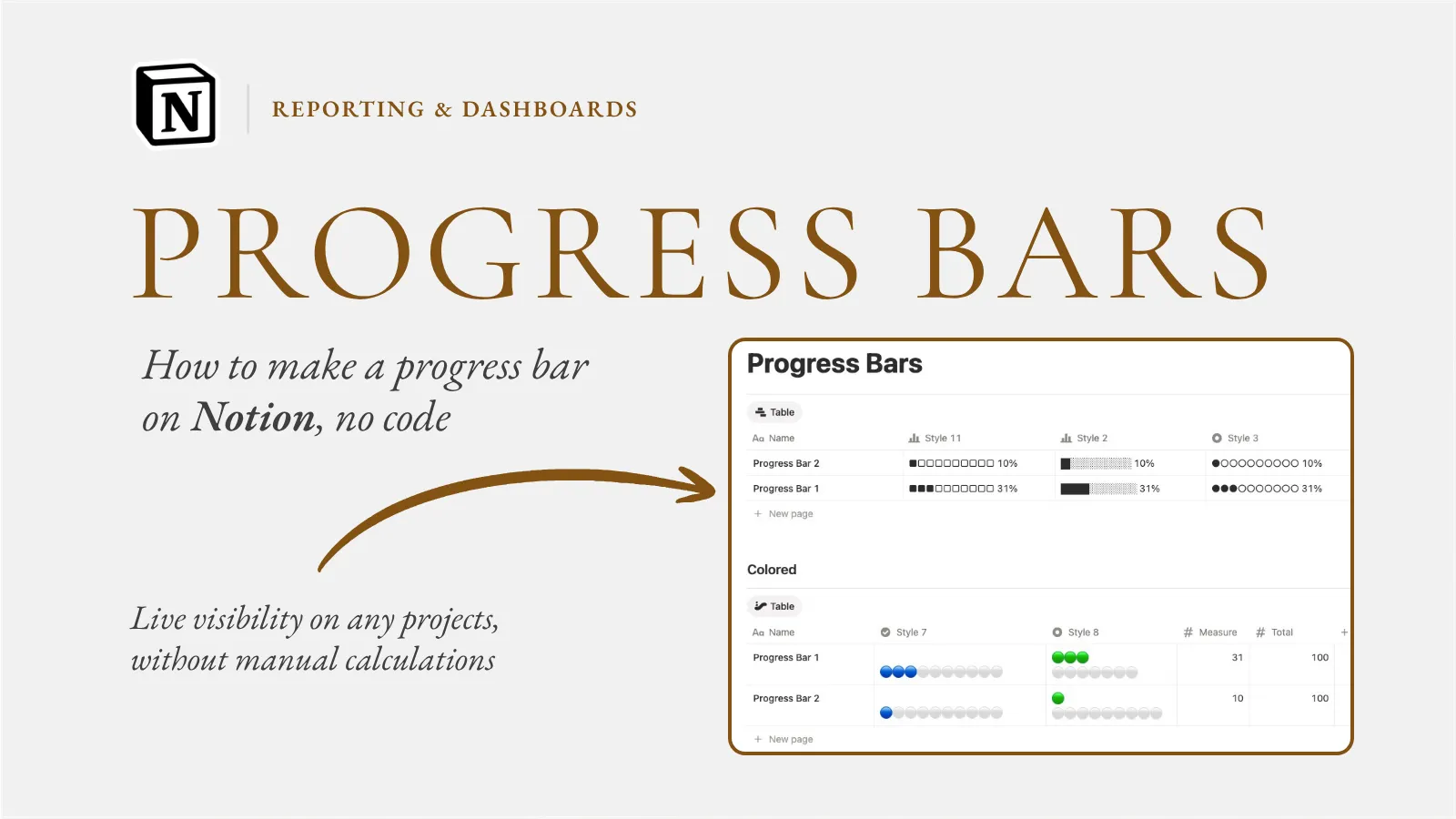
How to make a progress bar on Notion in a couple of minutes, no formulas required, just a rollup that updates itself as tasks get done.

Almost every week someone asks me how to make a progress bar on Notion, usually because they have seen one on a polished template and assumed it needs a formula they will never understand. The truth is more reassuring: a progress bar is one of the easiest live visuals to build in Notion, and most of the time you do not write any code at all. You point Notion at your tasks and it draws the bar for you.
So let me walk through exactly how to make a progress bar on Notion the way I set it up for clients, from the simplest rollup version to the more flexible formula version, so you can pick the one that fits your setup.
First, understand what a progress bar is measuring
A progress bar is just a percentage shown as a filling bar. The question is always "what percent of something is done," and in Notion that something is almost always tasks. So before anything else, you need two databases connected by a relation: a Projects database and a Tasks database, where each task points at its project. That relation is the foundation. Without it, Notion has nothing to count.
This is the step people skip, and it is why their progress bar never works. To get real reporting out of related datasets like projects and their tasks, you create the relation first, then build the calculation on top of it. Once the tasks are linked to their project, everything downstream becomes possible.
The rollup method, no code required
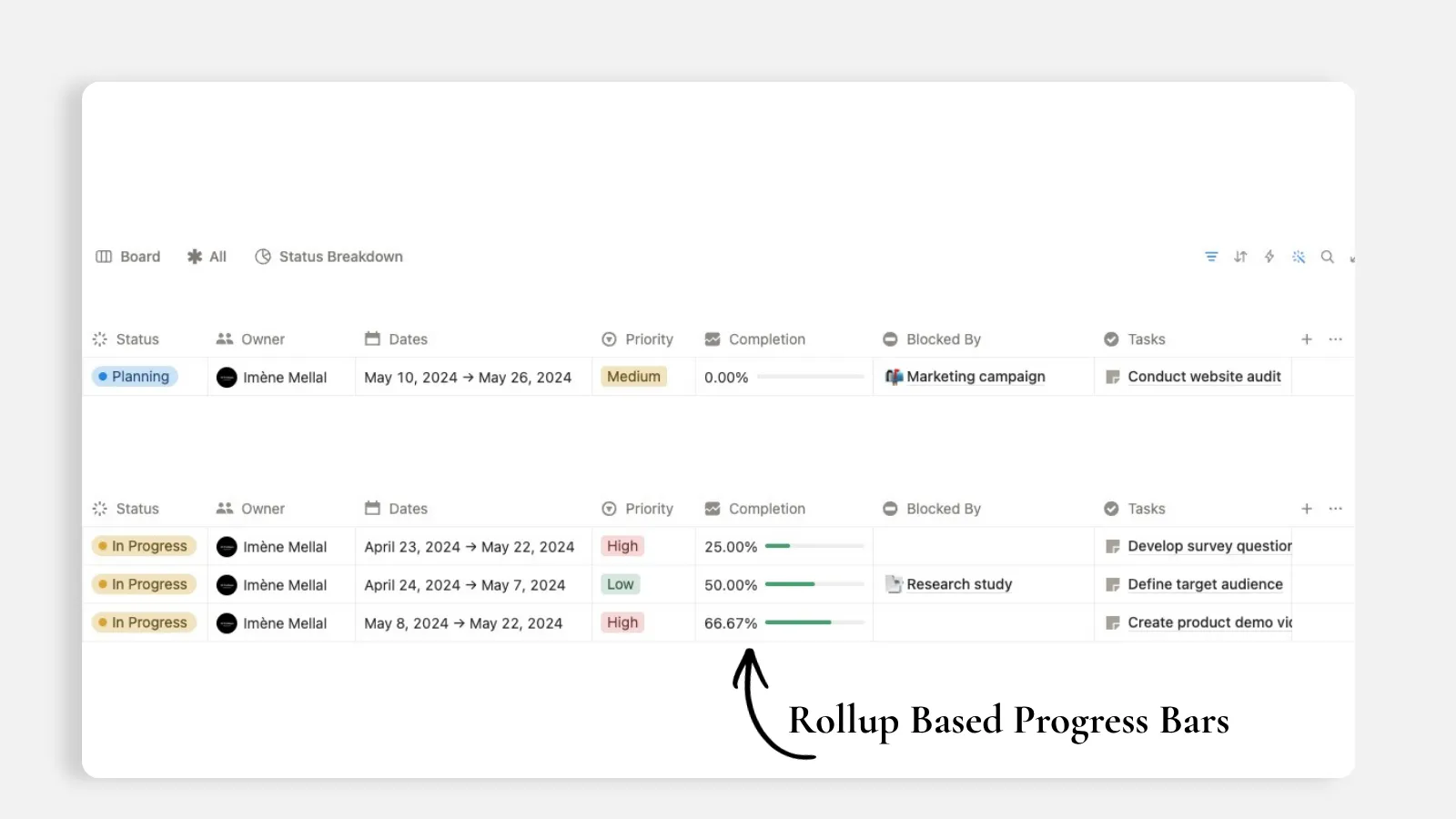
The fastest way to make a progress bar is a rollup, and it involves zero formula writing. For lightweight progress reporting across multiple projects, you use a rollup property tied to your task statuses, configure it to calculate percent complete per project, and it automatically pulls live data from the linked tasks. Completion percentages then update themselves as task statuses change.
Here is the part that makes it a bar and not just a number: add the rollup on the projects database pointing to the linked tasks, target the task status property, calculate the percent of completed tasks, rename it "Progress," and choose to display it as a bar. From then on it updates every time a task is marked done. That is genuinely the entire process. Most of my clients are surprised there is no formula involved.
Learn more about Relations & Rollups from this Notion tutorial.
The formula method, when you need more control
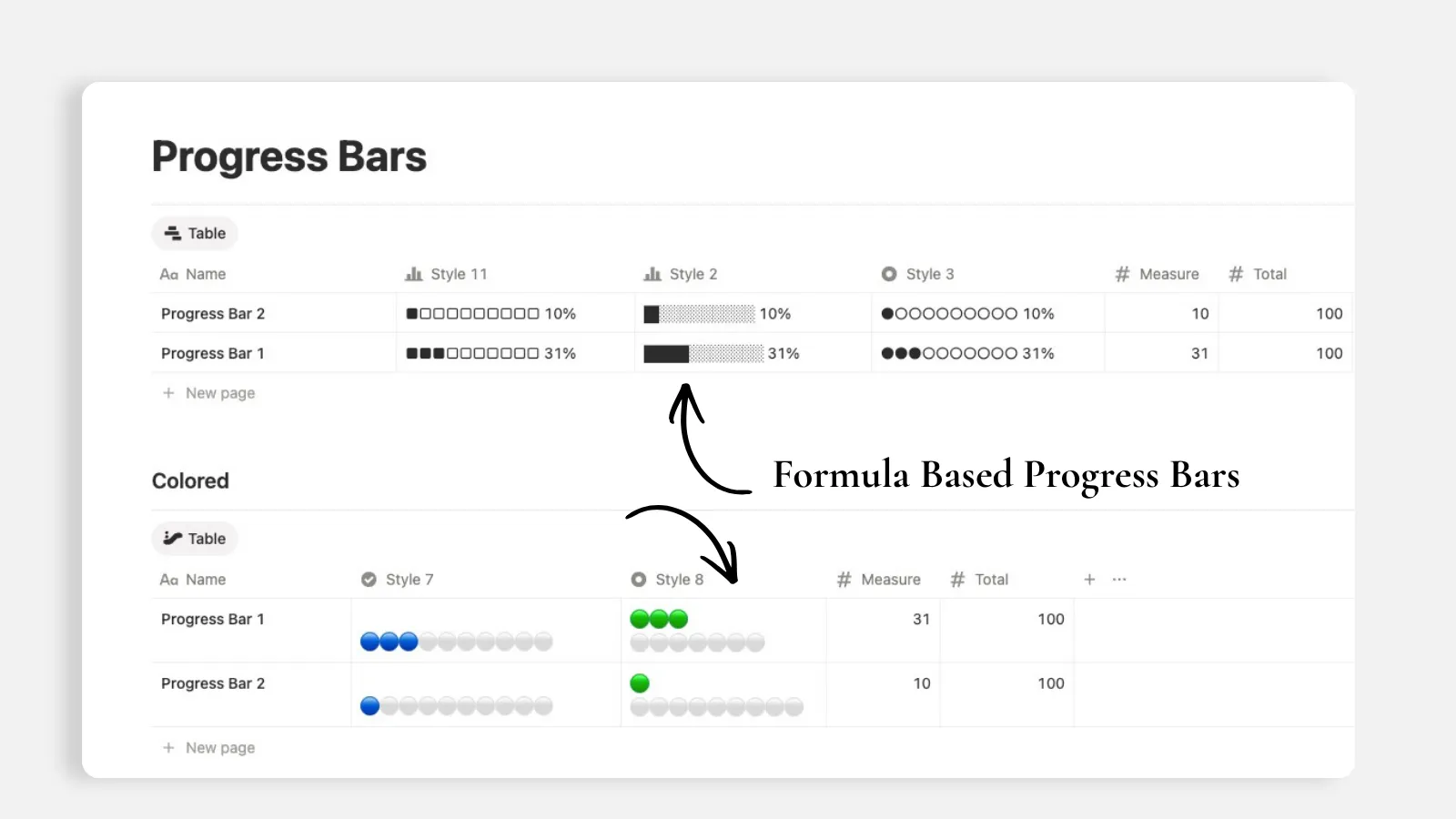
Rollups handle basic calculations beautifully, but sometimes you want something a rollup cannot express, like weighting tasks differently or blending in a due-date condition. That is when I reach for a formula property. And here is the good news I give every non-technical client: you do not have to learn the formula language. You describe in plain language what you want to the AI and it generates the logic for you, including filtering, referencing other databases, and calculated values.
For calculations across database entries, use a Formula property but do not write the code yourself, ask the AI to generate it. The formulas are powerful and recalculate automatically whenever a new entry is added, so you get automated computation without needing to know the syntax. I have watched clients who swore they were "not technical" build a custom progress formula just by typing what they wanted in a sentence. The AI writes it, and the bar appears.
Here is how I would set it up
Make sure Projects and Tasks are two databases linked by a relation, each task tied to its project.
On the Projects database, add a Rollup property.
Point it at the Tasks relation, select the task Status property, and set the calculation to Percent complete or Percent checked.
Rename it "Progress" and in its display options choose Bar.
If a plain rollup is not enough, add a Formula property instead and describe the calculation you want to the AI, then set that formula to display as a bar too.
Surface the bar on your dashboard by adding the Progress property to your table, board, or gallery view.
Notion Progress Bar Formula Examples:
First, you need 2 number properties named "Measure" and "Total" for these formulas to work, or rename them as per your actual database properties:
Style 11:
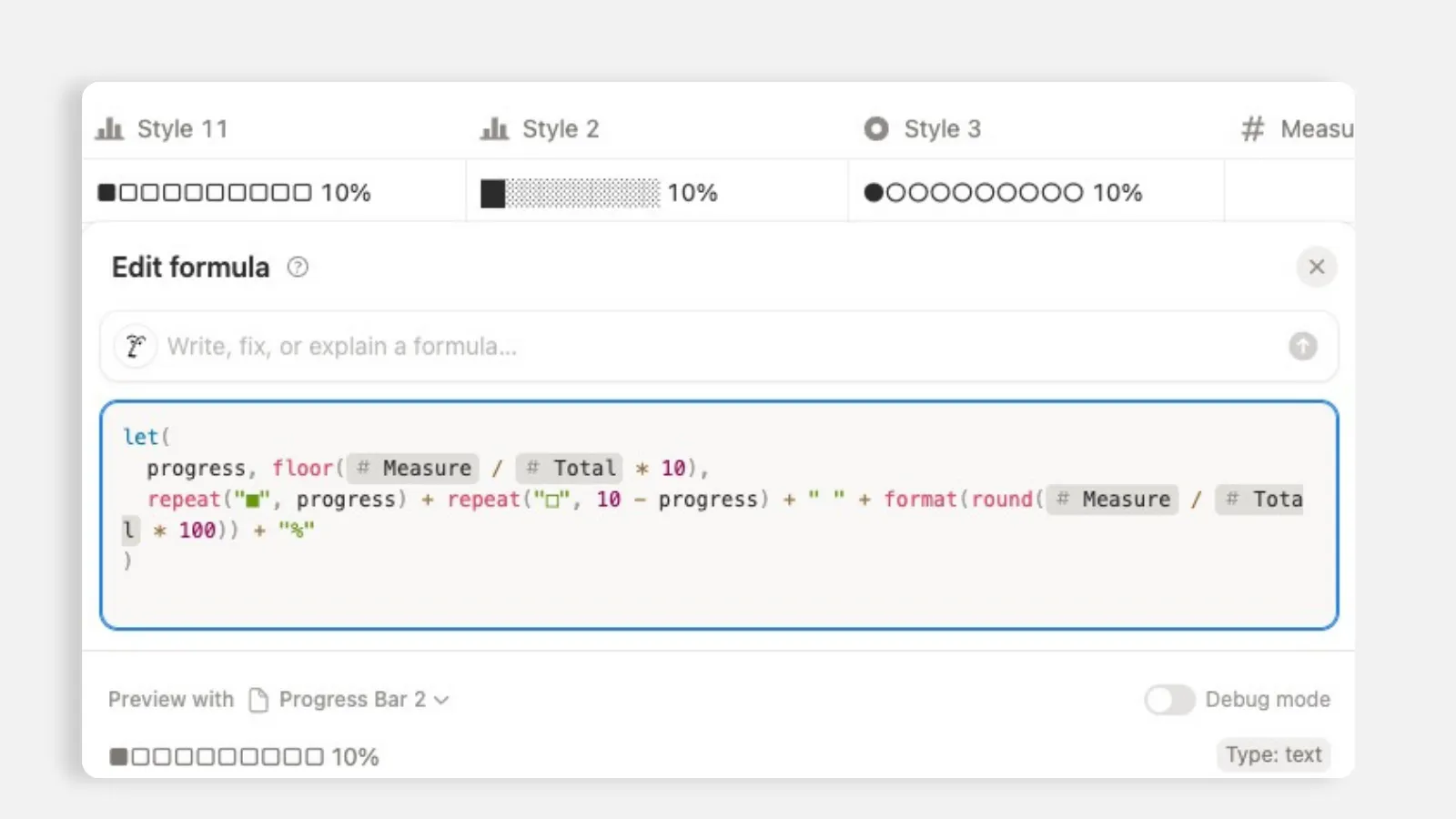
let( progress, floor(Measure / Total * 10), repeat("■", progress) + repeat("□", 10 - progress) + " " + format(round(Measure / Total * 100)) + "%" )
Style 2:
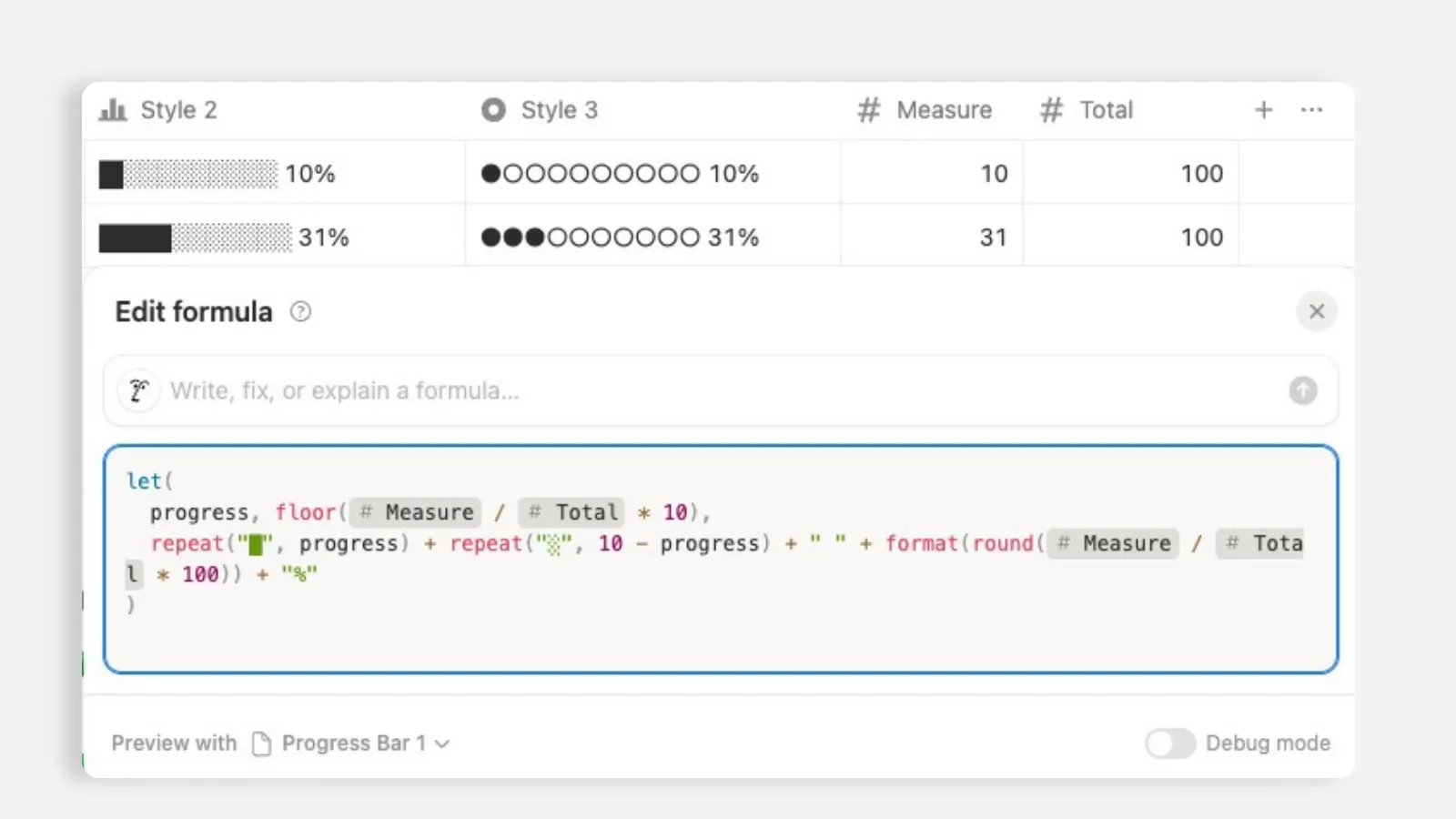
let( progress, floor(Measure / Total * 10), repeat("█", progress) + repeat("░", 10 - progress) + " " + format(round(Measure / Total * 100)) + "%" )
Style 3:
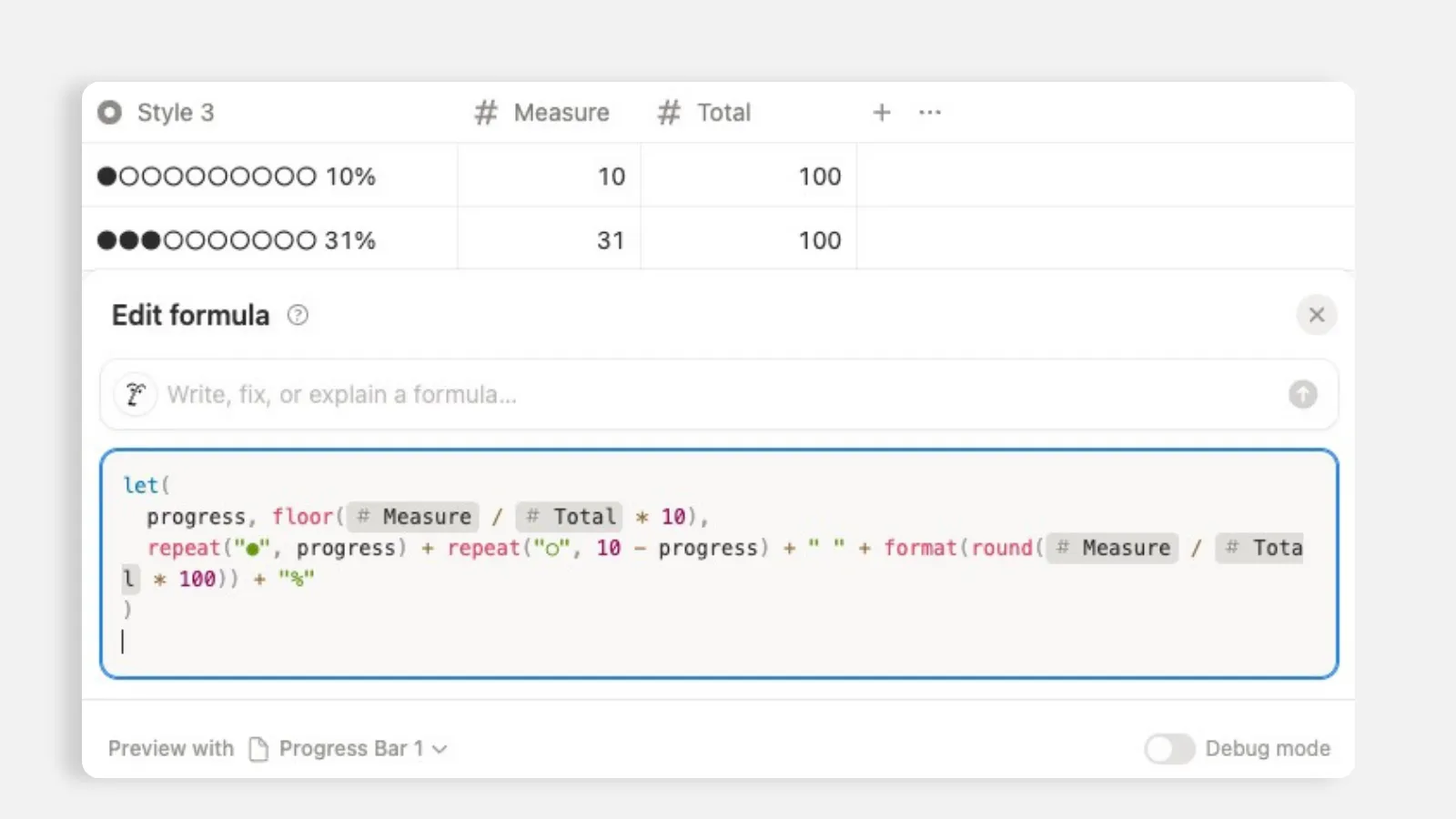
let( progress, floor(Measure / Total * 10), repeat("●", progress) + repeat("○", 10 - progress) + " " + format(round(Measure / Total * 100)) + "%" )
Style 8:
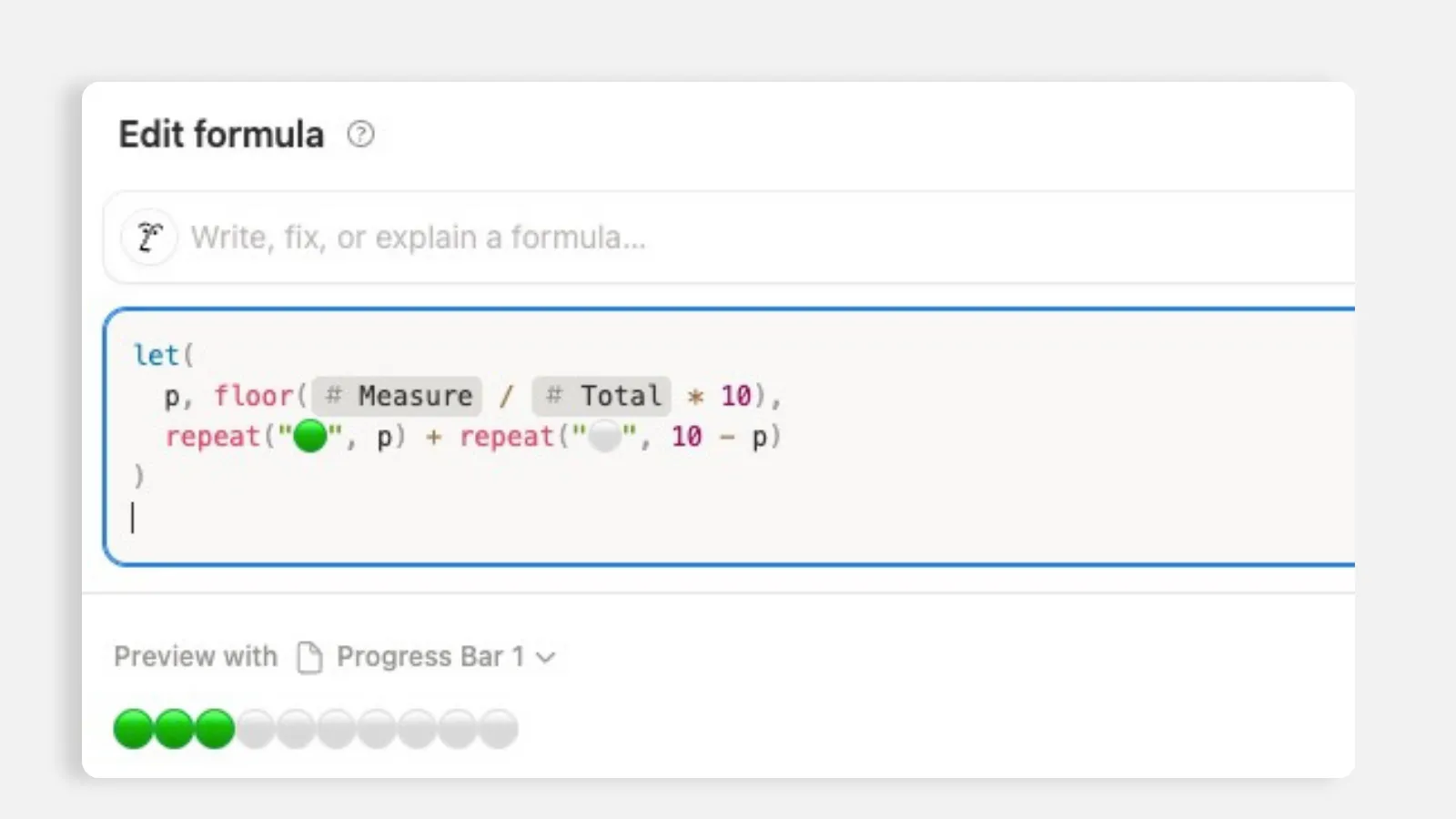
let( p, floor(Measure / Total * 10), repeat("🟢", p) + repeat("⚪", 10 - p) )
A quick note on where to show it
Once your bar exists, put it somewhere it earns its keep. I like adding it to a gallery view so each project card carries its own bar, or to a board grouped by status so you can watch progress across a pipeline. The bar reads from the same live data no matter which view it sits in, so you can show the same Progress property in three different places and every one of them stays in sync.
One honest caveat: the bar reflects task status, so it is only as accurate as your habit of marking tasks done. The progress bar does not do the work, it mirrors it. Keep your statuses current and the bar tells the truth on its own.
The payoff
When you know how to make a progress bar on Notion, you stop guessing at project status forever. No more "I think we are about halfway," the bar says 52 percent because it counted. Leadership gets a live view without you preparing anything, and it costs nothing beyond the two minutes it takes to add a rollup.
I set this up recently for a client who had been manually typing completion percentages into a status column and updating them by hand every Friday. We deleted that column, added a rollup, renamed it Progress, and flipped it to a bar. She watched it fill in automatically as I checked off a couple of test tasks and said, "Yeah, that's fantastic. That's exactly what I want."
That is the whole appeal. A progress bar in Notion is not a fancy widget you install, it is a live reflection of your own tasks that you can build in a couple of minutes, with a rollup for the simple case and an AI-written formula when you need more. Set it once, and it keeps itself honest from then on.
All content in this article is grounded in real customer interactions and real projects we’ve worked on, the analysis, insights, and ideas are entirely my own. AI tools may have been used to help process raw data, or to reformulate and refine parts of the writing.
Related articles
Frequently asked questions
How do you make a progress bar in Notion?
You can make a progress bar in Notion with a rollup or formula property. For projects, link tasks to projects, roll up completed tasks, and display the result as a bar.
Do I need a formula for a Notion progress bar?
Not always. If you only need task completion, a rollup is usually enough. Use a formula when you need custom logic, weighting, or more advanced conditions.
Can Notion show project progress automatically?
Yes, Notion can show project progress automatically when tasks are linked to projects and a rollup calculates the percent complete from task statuses.
Why is my Notion progress bar not updating?
Your Notion progress bar may not update if tasks are not linked correctly, statuses are not being changed, or the rollup is pointing to the wrong relation or property.
What is the easiest progress bar in Notion?
The easiest progress bar in Notion is a project rollup that calculates the percentage of completed tasks from a related tasks database.