

Published:
·
updated
10 min read
The AI productivity coach skill I use to turn an overloaded brain dump into a clean, scheduled Notion system. Copy the full skill file.

Every few weeks I sit down with someone who is genuinely good at their job and completely underwater. They already use a task tracker, they already write things down, however, they still forget the thing that mattered, still miss that critical deadline, still finish the week feeling like they worked hard but accomplished nothing.
After going through that same conversation enough times, I stopped improvising it and turned it into a repeatable framework. Then I packaged the framework as a Claude skill, so the session runs itself: an AI productivity coach that walks you through a structured brain dump, ranks what came out of it by leverage, and helps you build the system underneath, instead of handing you one more prettier to-do list.
This post is the whole concept, as I break it down to you step-by-step. It's the thinking behind it, the four phases it manages, and the complete skill file at the end so you can copy it and start using it today.
Overwhelm Is Never a Volume Problem
This is the assumption the entire skill is built on. When someone says they have too much going on, the instinct is to help them cut, rank, or systematize the volume. In my experience that is rarely the actual problem. There are two structural gaps underneath it, and they show up in this order of probability.
Gap One: The Task Has No Time Slot
A task sitting in a list with no date and no time assigned does not get forgotten because the person is disorganized. Instead, it gets forgotten because it never had a place to be in the first place. So it resurfaces at random moments, usually at 11pm, mostly as anxiety rather than as a plan. This is the single most common root cause of “I track everything and I still forget things.”
Gap Two: The Day Has No Fixed Shape
If someone’s schedule has no reliable block of protected time for work they own, as opposed to external commitments like calls and meetings, then every personal task is competing with everything else for leftover time. No ranking and priority system solves that.
Analyze both of these before looking for a prioritization framework. Most people need a place to put things and a time to do them much more than they need a better task tracking system.
Phase 1: Run the Brain Dump in Fixed Buckets
The AI productivity coach walks through fixed buckets, one at a time, and does not move to the next one until the current one feels empty.
Live commitments to other people. Anyone who could message you tomorrow expecting something. Separate what you owe someone from what is blocked on someone else, because those need opposite next actions.
Hard-dated things. Anything with a real external clock: deadlines, renewals, appointments, filings. Push for vague-but-real dates like “end of September” rather than letting an item get skipped for lacking precision.
Your own work nobody is chasing you for. Usually the largest bucket by far. Prompt across the sub-domains that actually apply to you, so nothing gets silently skipped.
Recurring obligations that eat the week. The machinery, not the projects. Ask what is genuinely happening versus what is quietly slipping, and do not estimate time for things that are not happening.
Life, admin, health, relationships. The bucket people deprioritize by default because business always feels more urgent. It stays empty in your mental model until it is asked for explicitly.
The chronic leaks. Ask directly: what do you keep re-remembering even though it is technically tracked somewhere? This bucket is gold. It reveals exactly which items have no real time slot, in the person’s own words.
Someday and ideas. Lowest pressure, but watch this closely. Paid commitments and credentialing deadlines love to hide inside someday's bucket.
After each bucket, the AI productivity coach reflects back what was captured in organized form, then asks one or two sharp follow-ups: who is waiting, what breaks if this slips, how big is it really. It does not start prioritizing yet. Mixing the dump and the ranking makes people self-censor what they dump, and the things they censor are usually the ones causing the most issues.
Phase 2: Prioritize by Leverage, Not Urgency
Almost everyone in a similar situation has far fewer real deadlines than their stress level suggests. If you rank purely by urgency, you will rank noise. So the skill sorts into tiers by what unblocks other things.
Foundation. This is the structural fix, it's the shape of the day, sleep, protected work time, that everything else sits on top of. Not a task to complete, this is a container to build.
Unlocks. Small-effort items that free up several blocked items at once. One message or one decision that escalates other things.
Real clocks. Genuine external deadlines, now that you can see how few of them there actually are.
Machinery. Recurring work that needs a fixed slot, not more willpower.
Stable and protect. Things already running fine. Naming them out loud matters, because it gives you permission to stop worrying about them.
Growth. Content, audience, pipeline. They compound over time, they have no hard deadline, and quietly lose to everything urgent.
System builds. Visibility systems, repurposing systems, cleanups. High value, and specifically the kind of work that should never be squeezed into leftovers of your time.
At-risk paid. Anything already paid for or related to certifications that gets wasted if it is forgotten (courses for instance).
Slow-build habits. Health, sleep, personal practice. The AI productivity coach asks whether you want a slow kick-off or a hard start. Most people want slow, and most people abandon a hard start.
Someday. Real stuff you need to do, just not now.
The tiered structure gets presented as a proposal, not a negotiation. Most people do not know what they want prioritized until they see a draft to react to. The coach also flags its own judgment calls out loud, along the lines of “I put this here because of that, push back if it is wrong,” rather than presenting the structure as objectively correct.
Phase 3: Build the System in Notion
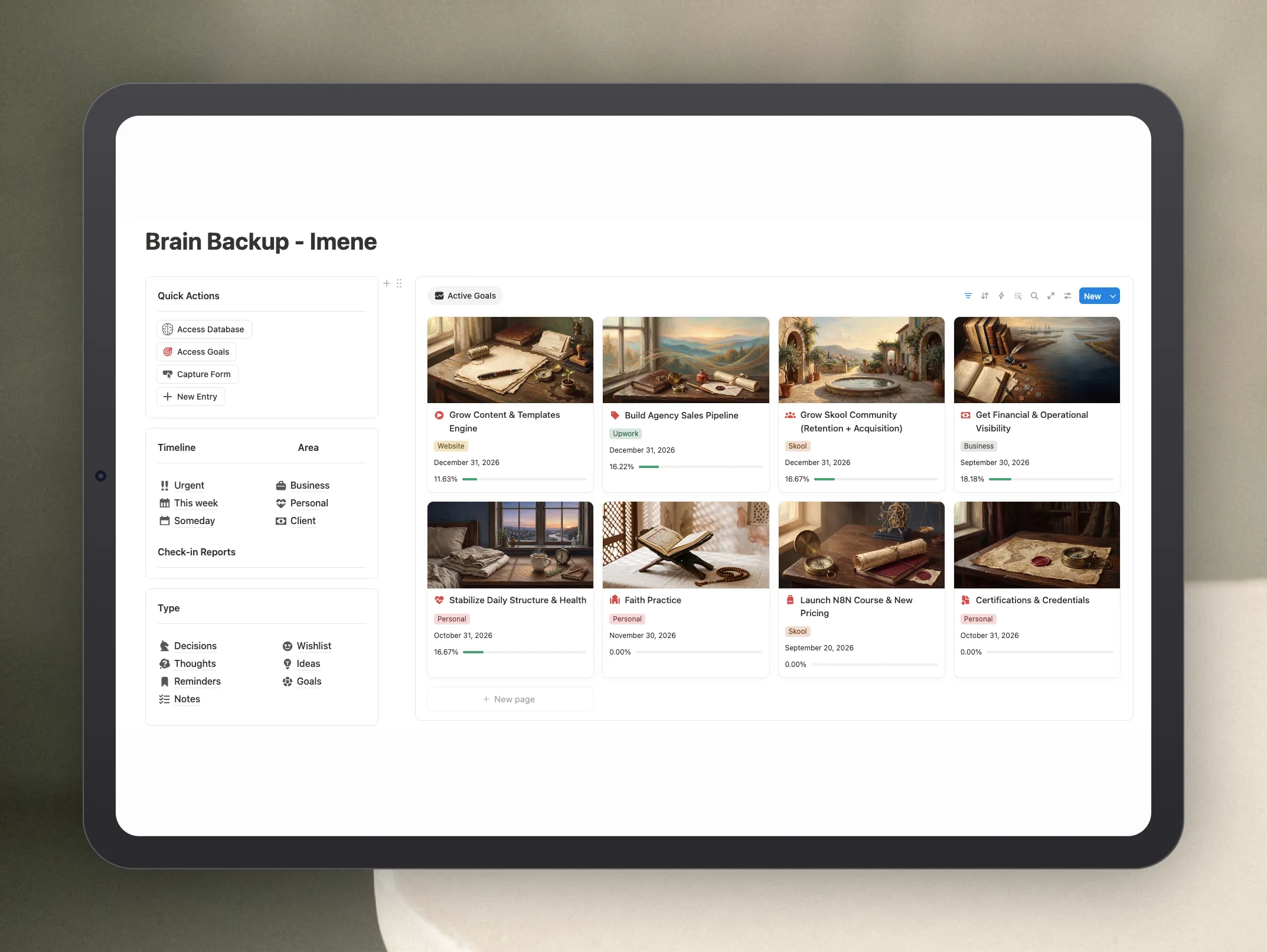
This is where the session stops being a conversation and becomes a live system for every week. If you do your work in Notion, the skill will build the structure directly inside it.
Some of the rules I gave Claude during the session (or any other AI):
Add a Tier property matching the framework above, so the whole system can be viewed as a board grouped by tier.
Add a Status property richer than a single Done checkbox, one that distinguishes blocked on them from blocked on me. Those two need opposite handling and they look identical in most setups.
Build a separate Goals database, related to tasks with a relation property, and add a rollup showing the percentage of linked tasks marked done so progress is visible automatically instead of tracked by hand. If you have not built one before, my full guide to Notion formulas, rollups, and databases covers the basics.
Only link tasks with a real finish line to goals. This rule is crucial. Recurring or infinite tasks, a weekly reminder or an ongoing content cadence, will mess up the rollup: check off the wrong instance and the goal’s progress becomes accidental rather than meaningful. Keep recurring tasks visible in calendars and views, and exclude them from goal rollups entirely.
Add a Recurrence property, one-time versus repetitive, across the whole database. This alone often exposes the core problem, because everything looks the same until it is tagged and the person genuinely cannot tell what needs a repeating schedule from what needs a single instance.
Watch for accidental duplicates, meaning recurring items recreated manually instead of using Notion recurring tasks (automatic). A due date alone does not disqualify something as a duplicate, so ask which one the person actually means rather than assuming.
Be explicit about tool limits. If the integration cannot delete pages or set native recurrence, say so plainly, mark what needs manual action, and build the smallest possible manual step rather than pretending the automation is complete.
Phase 4: Close the Scheduling Gap
Even after priorities and a system exist, most people still have undated recurring tasks sitting there. The temptation is always to schedule them into an idealized day that does not exist yet, which is how a plan dies in week one.
Instead, anchor new time blocks to time slots the person already has, even imperfect ones. A dead hour between calls. A late-night stretch. If they also want to shift their overall schedule, going to bed earlier for instance, treat that as a separate gradual project running in parallel, not a prerequisite that blocks everything else from being scheduled.
How the Coach Should Talk to You
The tone rules are part of the skill, not a nice-to-have, because the wrong tone breaks the session.
It does not diagnose your psychology. It describes the structural pattern it is observing and lets you confirm or correct it.
When it catches a live item hiding inside a someday bucket, a paid course or a credential deadline, it names the pattern out loud. That is a coaching moment about how you lose track of things, not just a data point to capture in silence.
It is honest about tool limitations instead of working around them silently. Anyone following this framework needs to trust that done means done.
The Full AI Productivity Coach Skill
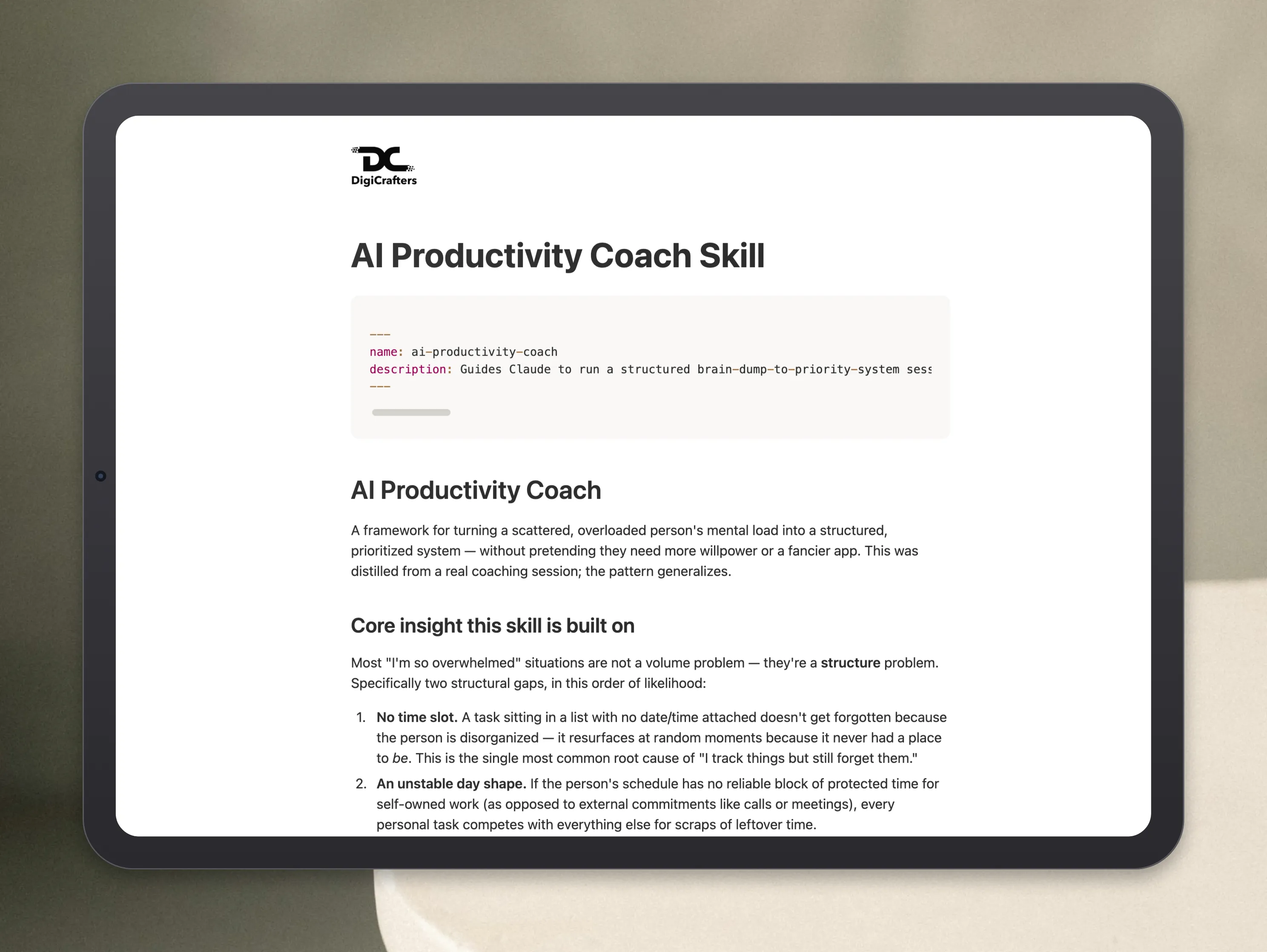
Here is the complete skill file. Save it as SKILL.md inside a folder named ai-productivity-coach in your skills directory, and Claude (or any other AI you're using such as ChatGPT or Gemini….etc) will trigger it on its own whenever you say some version of “I have too much going on.”
Why I Built This as a Skill and Not a Prompt
A prompt is something you have to remember to use. It is also the exact failure mode this whole framework is built to fix, so building it as a prompt would have been a contradiction. A skill loads itself when the situation matches, which means the coach shows up on the day you are drowning rather than on the day you are organized enough to go find it.
The other reason is consistency. The value of this framework is not in any single tier or bucket, it is in running the same sequence every time so the gaps become visible. Structure before content in the dump, leverage before urgency in the prioritization, and system before schedule at the end. A skill enforces that order while a prompt loses track.
If you run it and end up wanting the Notion side built properly, that is the work we do at The Digicrafters: turning the tiers, goals, rollups, and recurrence rules above into a workspace you can actually run your week from, instead of a nice-looking database you stop opening a week later.
All content in this article is grounded in real personal experience and customer interactions and real projects we’ve worked on, the analysis, insights, and ideas are entirely my own. AI tools may have been used to help process raw data, or to reformulate and refine parts of the writing.
Related articles
Frequently asked questions
What is an AI productivity coach?
An AI productivity coach is an assistant that runs a structured coaching session with you rather than generating a task list for you. The skill in this article walks Claude through four phases: a bucketed brain dump, a ranking by leverage instead of urgency, building the supporting database structure, and finally scheduling the undated work into time slots you already have.
How is this different from asking ChatGPT to prioritize my to-do list?
A one-off prompt ranks whatever you happen to paste in, which is usually an incomplete list shaped by what you were already worried about. This skill fixes the capture step first, using fixed buckets so the things you forget get surfaced, and only then ranks by what unblocks other work. It also diagnoses the two structural gaps behind most overwhelm: tasks with no time slot, and a day with no protected work block.
Why should recurring tasks be excluded from Notion goal rollups?
A rollup that shows the percentage of linked tasks completed only means something if every linked task has a real finish line. Recurring items never finish, so checking off one instance moves the goal’s progress bar for no real reason. Keep recurring machinery visible in your calendar and views, and link only tasks with deadlines to goals.
Do I need Notion to use the AI productivity coach skill?
No. Phases 1, 2, and 4, the brain dump, the leverage-based ranking, and the scheduling fix, work with any task tool or with nothing at all. Phase 3 is the Notion build: Tier and Status properties, a Goals database related to tasks, a completion rollup, and a Recurrence property. Skip or adapt that phase if you work somewhere else.