

Published:
·
updated
6 min read
My playbook for notion automations: pair triggers and actions with AI agents so requests turn into tasks, reports write themselves, and updates still feel personal.

When I audit a client's workspace and workflows, I am not looking for fancy automations first. I am looking for the little imperfections: the follow-up someone forgets, the request that sits in an inbox, the report that takes an afternoon because nobody has connected the dots yet. That is where notion automations become useful. They remove the manual steps that repeat every week, then let the humans stay focused on the work that actually needs judgment.
Start where the basic automation ends
A simple automation is usually a trigger plus an action. A status changes, a form is submitted, a new page is created, and Notion does something predictable in response. That is still the foundation.
But the bigger opportunity is what happens after those first rules are working. Once a client sees that a workspace can send the right update or create the right record automatically, they start asking a better question: what else are we still doing by hand because nobody has taught the system how to help?
That is the level I want this article to focus on. Not just "when this happens, do that," but: how can the workspace think through the next step, collect the right context, and prepare useful work before a person has to ask?
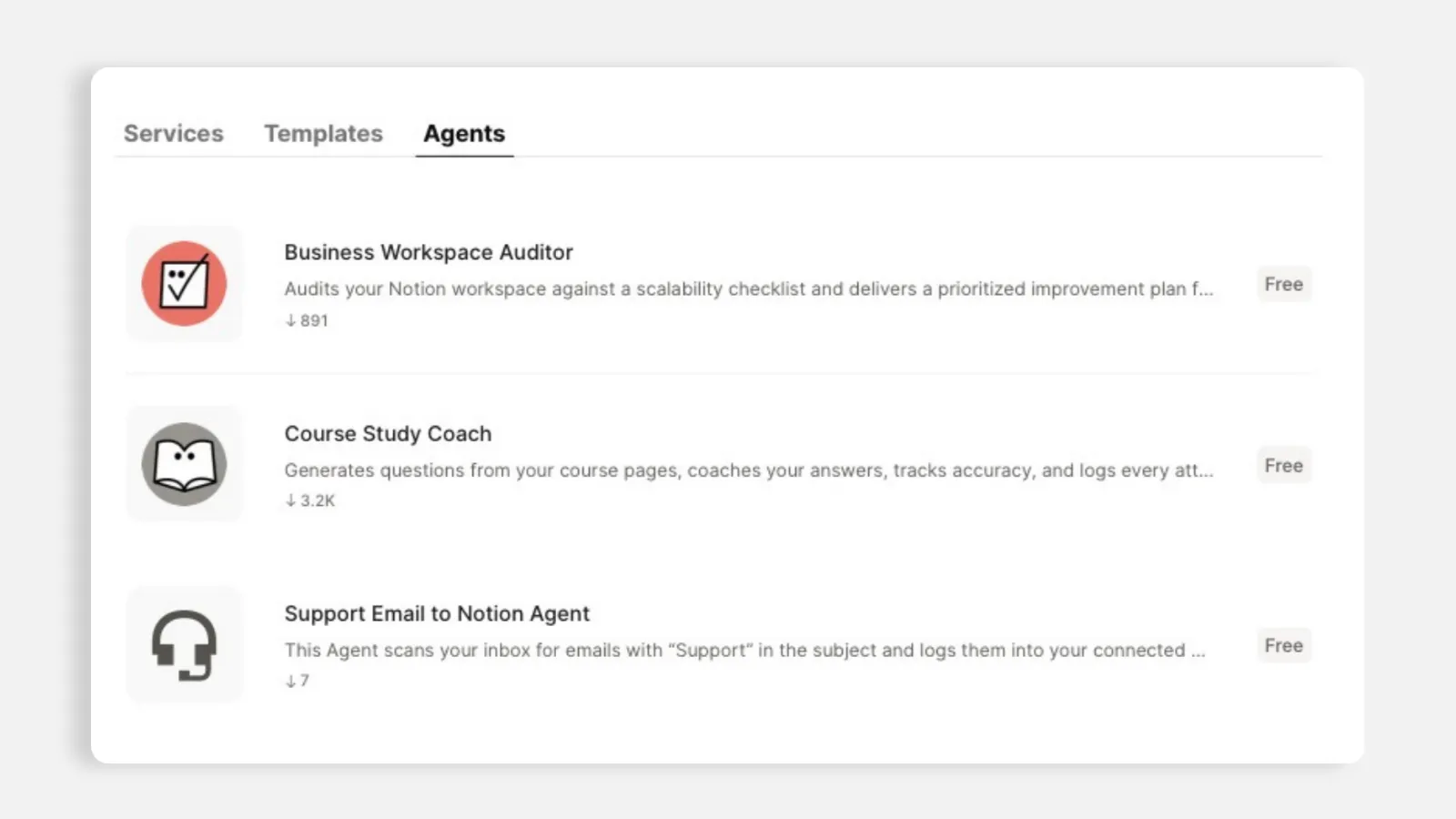
Picture: The above picture shows examples of my publicly available free Notion Custom Agents that can be found here.
Turn incoming requests into real tasks
One of my favorite uses of Notion automations, on plans that support agents, is inbound request handling. Instead of a person reading an email, copying the request into a task database, deciding who owns it, and linking it back to the client, an agent can do that first pass.
The workflow looks like this:
A request comes in through email, a form, or another intake channel.
The agent reads the context and turns it into an actionable task.
It adds priority, owner, due date, or next step based on your rules.
It links the task back to the relevant client, project, or account record.
The team starts from a prepared task instead of a messy message.
This is where automation stops being a convenience and becomes real leverage. The request still gets human attention, but it arrives organized enough for someone to act on it quickly.
Notion Custom Agents run on triggers too
People think of agents as something you chat with, but the real power is setting them up to run on triggers instead of manual prompting. A trigger can be a schedule, a change in the workspace, a calendar event, an email, or even a Slack message. You give the agent detailed instructions, choose which data sources it can use, optionally disable web access, and grant it access to specific pages to view or edit.
Then the agent can create, edit, or update content without you prompting it every time.
For example, I set up agents to compile weekly or monthly client progress reports from the tasks tracked per client. Instead of someone reviewing every task by hand, the agent can summarize what moved forward, what is blocked, what needs a decision, and what should be sent to the client.
Pair that with another automation and the report can also be emailed automatically when the right trigger fires, like a project status changing to resolved or a reporting date arriving.
Make automated updates feel like personalized service
I still care a lot about how automated messages feel. If the message is client-facing, it should not read like a system notification that nobody owns. Use property variables, client details, and the actual project context so the update feels specific.
And when the relationship matters, send the message from a connected personal email address rather than a generic system address. The automation can do the work in the background, but the client should still feel like the team is paying attention.
The goal is not to hide the automation. The goal is to avoid making the client feel like they are talking to a machine when the update is part of a real service relationship.
You do not have to write the Notion Custom Agent's instructions by hand
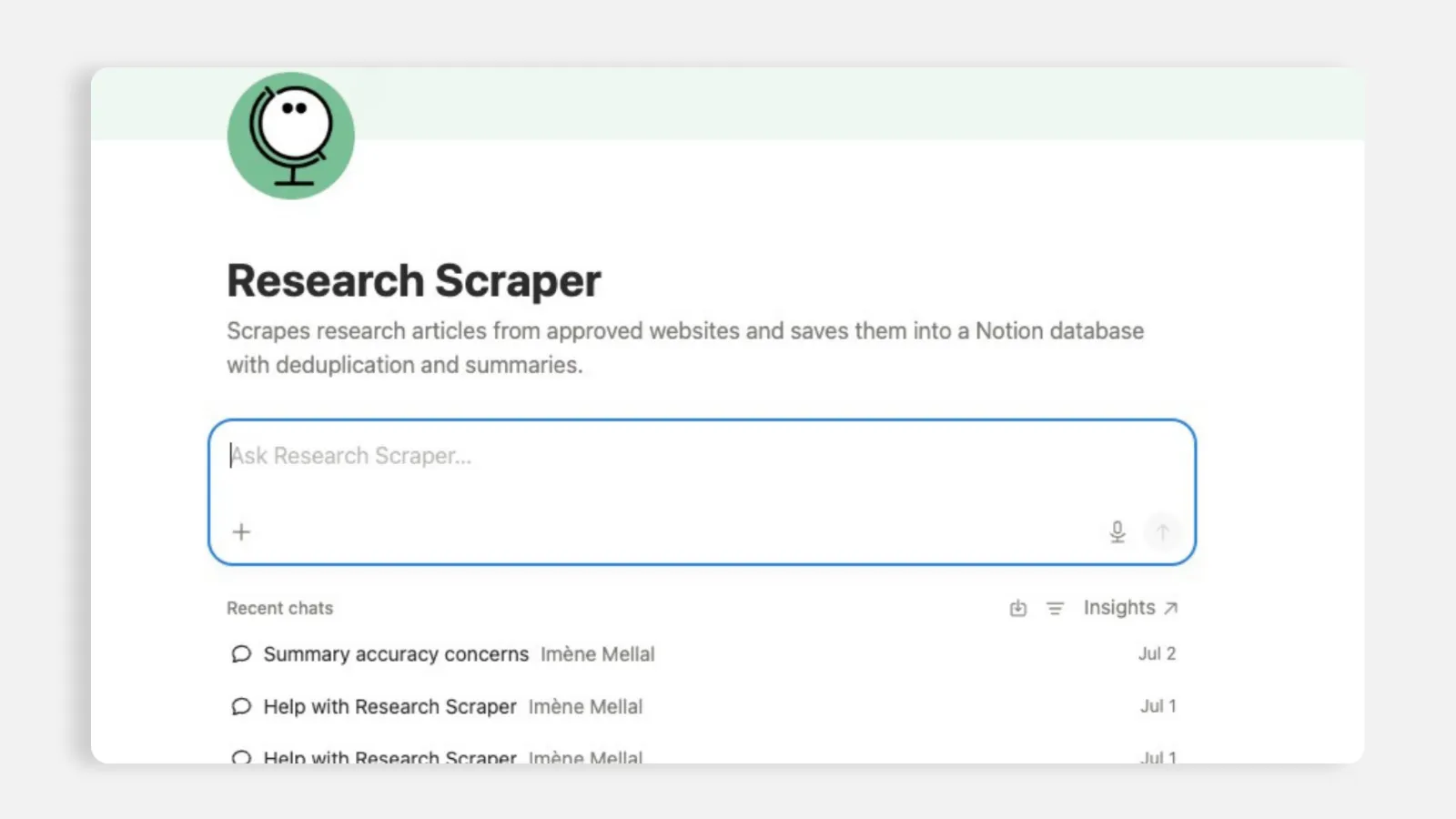
Picture: In this case study, I built a Notion Custom Agent that scraps data from specific research websites, and we used the help of the Agent to create itself, since the client wanted something easy to edit and maintain.
Here is a tip that lowers the barrier a lot. You do not have to hand-write a Notion agent's whole instruction page from scratch.
Describe what you want conversationally, by speaking or typing, and have the AI generate the first version of the instructions page for you. It can help define the role, the trigger, the data sources, the rules, the exceptions, and even the supporting databases that should sit inside the page. Then you review and refine.
That is much faster than trying to author the entire setup manually, and it means you do not need to be technical to get a capable agent running. You do still need to understand the process. The AI can draft the system, but you are the one who knows what "good work" should look like.
Know the current limits before you overpromise
I am always honest with clients about what automations and agents can and cannot do today. Many advanced triggers and actions are not built in within Notion Custom Agents, unless you pair them with Notion Workers or another automation software like Make.com or Zapier or n8n. Where agents genuinely add value right now is auto-updating records, generating and creating pages, managing calendar events, preparing for meetings, and helping with structured internal workflows.
For unsupported external sources, you lean on scheduled triggers, connected tools, or an automation platform rather than expecting a native trigger. Setting expectations correctly is part of doing this well. A good system feels good because the scope is clear, not because it pretends to do everything.
Where to reach outside Notion
Sometimes the automation you need crosses into a tool that has no native Notion connection, like a business phone system. For those, I connect the workflow through an automation platform such as Make or n8n, even if an API is required on the third-party tools as well, rather than expecting a direct integration.
So the pattern is simple: use Notion's built-in automations and agents for the work that lives inside the workspace, then bring in an external automation tool only when the process needs to reach somewhere Notion cannot reach directly.
We will talk more in another article about Notion Workers and how they added an important layer of capabilities to Notion automations and data synchronization since their launch a few weeks ago.
The automations I set up after the basics
If a client already has the simple automations working, this is the next layer I usually look for:
An intake agent that turns incoming requests into assigned, client-linked tasks.
A scheduled agent that prepares a weekly or monthly progress report.
A client update workflow that uses project properties to personalize the message.
A meeting-prep agent that gathers relevant notes, tasks, and open decisions before a call.
An external connection through Make or n8n for tools that sit outside Notion.
The deployment of Notion Workers for external data syncs.
This is not the first day of automation. This is the stage where the workspace starts becoming a fully automated Notion workspace.
Why it is worth it
The payoff of Notion automations is time and smoother operations. The manual follow-ups disappear, nothing falls through, and the work that used to require someone to remember it now has a system around it.
But the deeper payoff is trust. A team starts trusting the workspace because the right work appears in the right place, with the right context, before someone has to chase it. That is the feeling I am going for. Not a complicated machine, and not automation for its own sake. Just a workspace that quietly handles the boring parts so you can spend your time on the work that actually needs you.
All content in this article is grounded in real customer interactions and real projects we’ve worked on, the analysis, insights, and ideas are entirely my own. AI tools may have been used to help process raw data, or to reformulate and refine parts of the writing.
Related articles
Frequently asked questions
What are Notion automations?
Notion automations are rules that trigger actions inside your workspace, such as sending an email, creating a task, updating a property, notifying the right person, or asking an AI agent to prepare work when something changes.
What is the difference between a Notion automation and a Notion agent?
A Notion automation follows a defined trigger and action. A Notion agent can use instructions and context to create, summarize, update, or prepare work with more judgment than a simple rule.
Can Notion agents run automatically?
Yes, depending on your plan and setup, agents can run from triggers such as schedules, workspace changes, calendar events, emails, or Slack messages.
Are Notion automations good for client work?
Yes, especially when they reduce manual follow-ups, prepare client updates, organize incoming requests, or create recurring reports from project data.
When should I use Make or n8n with Notion?
Use Make or n8n, or another automation platform when the workflow needs to connect to an external app that Notion does not support natively, or when you need a more advanced cross-tool workflow.